Smart Robo Lab

SRL SIM DESKTOP · VERSION 0.1.3

Download the Smart Robo Lab Simulator

Write Arduino and MicroPython code, wire up a circuit and run it, all on your own computer. Free for Windows and Linux.

Released November 2, 2026

Free

No account needed to start

Windows

Version 0.1.3

Windows installer

.exe · 64-bit · 130 MB

SHA-256 83ce2c5044663d2e9819974b7481b41f547c52efba4a9d57db7484e89df21ebe

Requirements

  • Windows 10 or 11, 64-bit
  • 4 GB RAM
  • 500 MB free disk space

Install

  1. Download the installer and open it.
  2. Windows may say it protected your PC, because the app is new and not yet code-signed: choose More info, then Run anyway.
  3. Pick where to install it. The installer adds SRL SIM to the Start menu and the desktop.

Linux

Version 0.1.3

Linux AppImage

.AppImage · x86_64 · any distro · 152 MB

SHA-256 45012473f2cb1819eb640f651bec7d2bfdbdb8c8729c8497773b310188d18d8a

Debian / Ubuntu package

.deb · amd64 · 124 MB

SHA-256 6fb1e7f3e0a83a4e3f3fd128828452576061604095a4d7243e1df765d68369ed

Requirements

  • Ubuntu 22.04+, Debian 12+, Fedora 38+ or similar, 64-bit
  • 4 GB RAM
  • 500 MB free disk space

Install

  1. AppImage: make it executable (chmod +x SRL-SIM-*.AppImage) and double-click it. Some distros need libfuse2 first (sudo apt install libfuse2).
  2. Debian / Ubuntu: sudo apt install ./SRL-SIM-*.deb, then open SRL SIM from the app menu.

Downloads are served by Vercel. Check a file with sha256sum (Linux) or certutil -hashfile <file> SHA256 (Windows). macOS is not packaged yet: run it from the source with ./start.sh.

A LOOK INSIDE

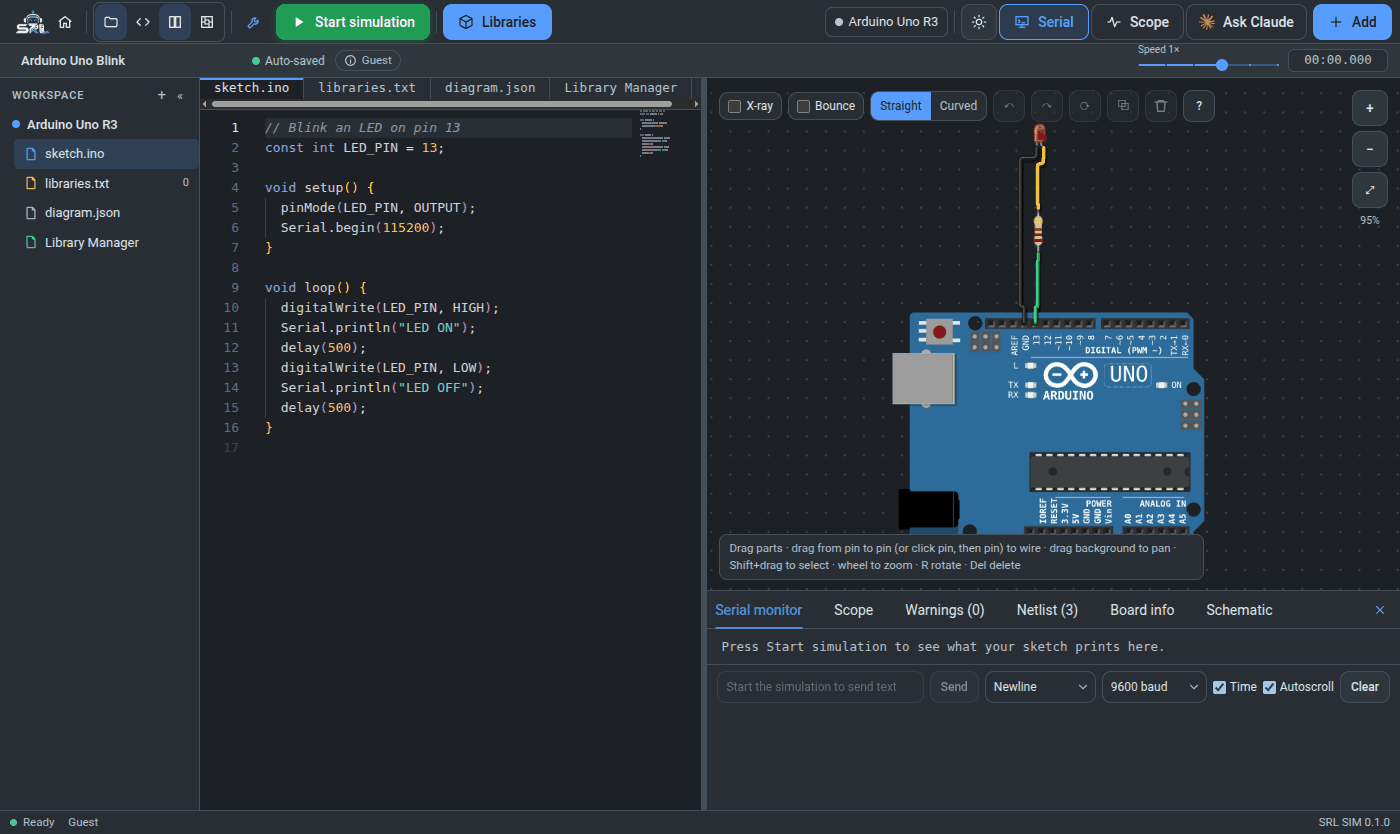
An app, not a web page

The SRL SIM editor: code on the left, an Arduino Uno with an LED circuit on the right, serial monitor below
Code, circuit and serial monitor in one window
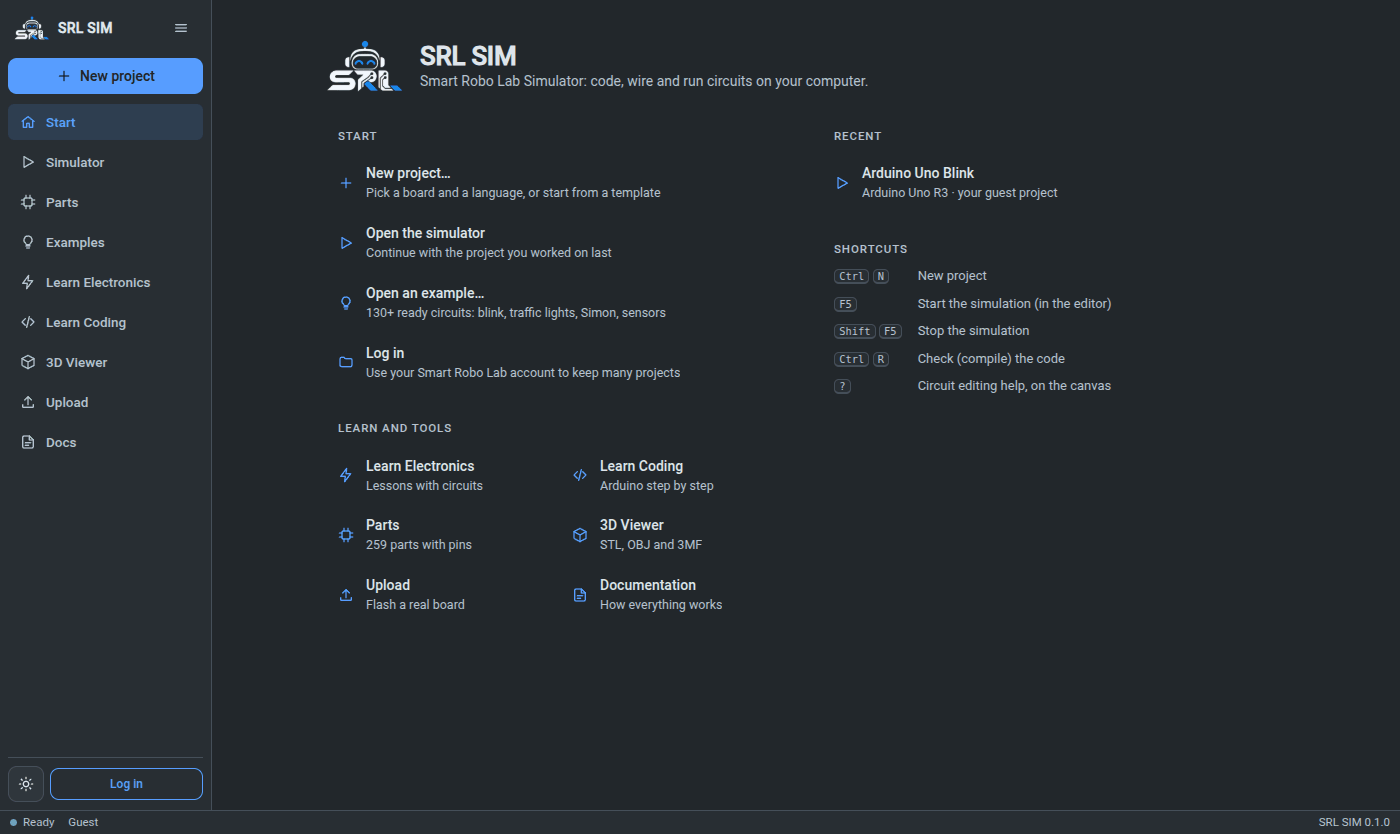
The SRL SIM start screen with New project, recent projects, learning sections and shortcuts
Start screen with recent projects and shortcuts

WHAT YOU GET

Everything for learning electronics

A real desktop app

Its own window with File, Edit, View, Simulation and Help menus, keyboard shortcuts (F5 to run), a sidebar and a start screen with your recent projects.

Code and circuit side by side

Write Arduino C++ or MicroPython on the left, wire LEDs, buttons, sensors and servos on the right, press Start.

Real firmware, simulated

Arduino Uno, Nano and Pico sketches run on emulated chips; ESP32, Pico and STM32 boards run MicroPython and Arduino code.

259-part library

Boards, sensors, displays, motors and passives, each with pins, notes and a picture.

Learn Electronics and Learn Coding

Step-by-step lessons with exercises that are checked in the simulator, plus 130+ ready examples.

Upload to a real board

When the circuit works, compile it and flash it to the board on your USB port (needs arduino-cli).

3D Viewer and Ask Claude

Open STL, OBJ and 3MF models, and let your own Claude Code help with the code and the wiring.

GOOD TO KNOW

Before you start

Your projects stay on your computer

They are saved in one file (srl-sim.db) in %APPDATA%\SRL SIM on Windows and ~/.local/share/srl-sim on Linux. Back up that folder, or export everything from the account menu.

One Smart Robo Lab account

Log in with your Smart Robo Lab account to keep projects in My Projects. Everything else works without an account, and after one login you can also log in offline.

Uploading to boards

Simulation works out of the box. Flashing a real board also needs arduino-cli with the board core installed (and esptool for ESP32).

Source code on GitHubQuestions? Contact usAbout SRL SIM